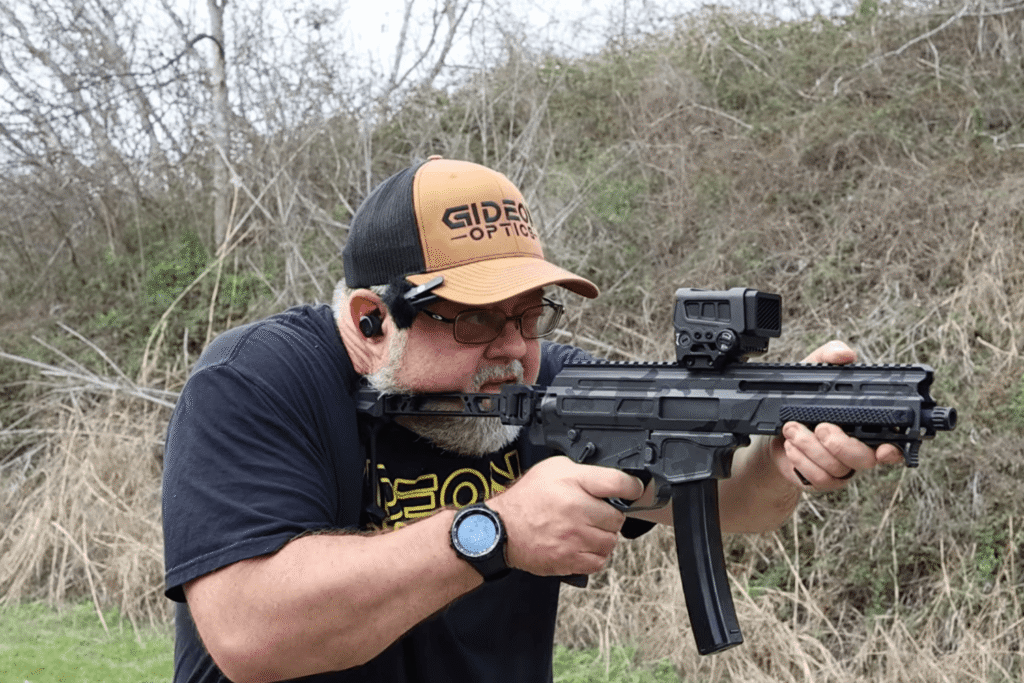

A rifle without an optic might look good on the bench, but it’s not doing you any favors when it’s time to actually shoot.
Mounting a red dot seems simple. Zeroing seems straightforward. But small mistakes in either process can lead to inconsistent hits, frustration, and the false assumption that something is wrong with your optic.
In reality, most performance issues come down to setup.
If you take the time to mount your optic correctly and understand how zeroing actually works, you’ll get far more out of your rifle, no matter what optic you’re running.
Not all red dots are created with the same purpose in mind.
Pistol optics prioritize compact size and low weight. That works well for handguns, but on a rifle or PCC, those same constraints can limit your field of view and slow down target acquisition.
A dedicated rifle optic is built differently. Larger windows, more forgiving sight pictures, and controls designed for sustained use all contribute to better performance, especially when shooting quickly or under pressure.
That’s exactly why optics like the Mediator XL exist. Instead of trying to adapt a micro dot to a rifle, it’s designed from the ground up to give you more usable window and a more forgiving shooting experience.
Mounting is where everything starts, and where a lot of issues begin.
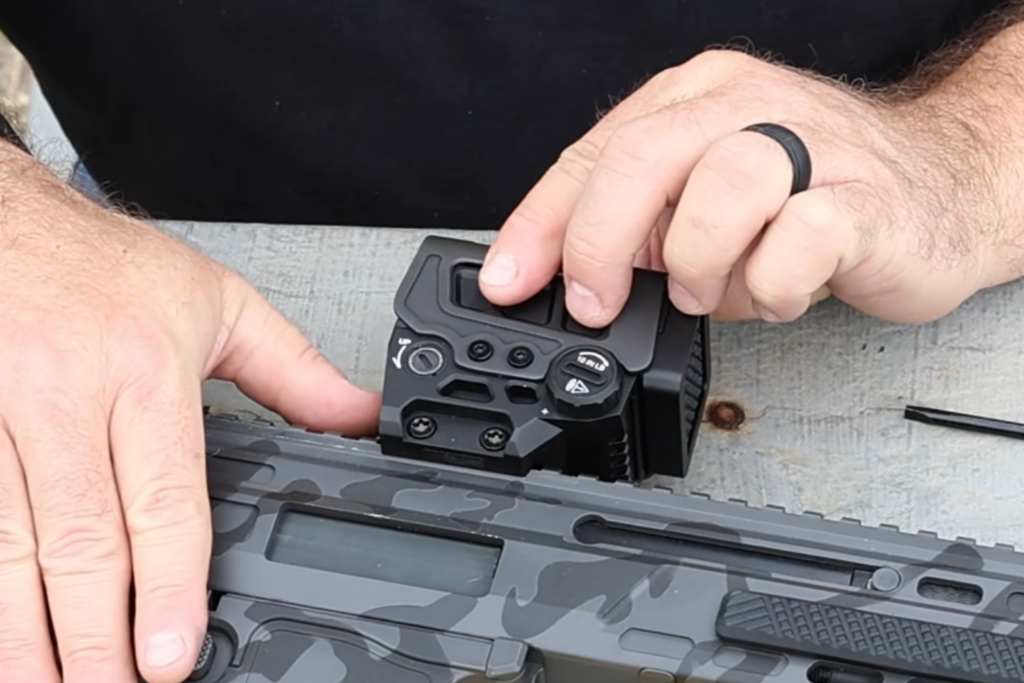
Most modern rifle optics use a standard 1913 Picatinny rail, which makes installation straightforward. But “simple” doesn’t mean it’s foolproof.
One of the most overlooked details is how the optic is seated on the rail before tightening it down.
That forward pressure matters. Recoil drives the rifle rearward, which means any slack in the mounting interface will get taken up under recoil. By pushing the optic forward before tightening, you’re ensuring it’s already seated against that force.
It’s a small step, but it makes a real difference in maintaining zero.
Also worth noting: You don’t need to overcomplicate mounting. Integrated mounts and standard interfaces exist for a reason. The more parts, plates, and adapters you introduce, the more potential points of failure you add.
Keep it simple. Keep it solid.
There’s no single “correct” position on the rail, but there are tradeoffs.
Most shooters land somewhere in the middle because it’s familiar, but the reality is, you have room to experiment.
There’s no rule that says your optic has to sit in one exact spot. Try different positions and see what works best for your setup and shooting style.
The goal isn’t to copy what looks right, it’s to find what performs best for you.
Before you head to the range, take a minute to understand how your optic actually works.
For example, optics like the Mediator XL offer both a circle-dot reticle and a simple dot, allowing you to tailor the sight picture depending on distance and application.
Many modern optics also include features like motion-activated illumination, which turns the reticle off after a period of inactivity and instantly reactivates it when movement is detected. This helps preserve battery life without sacrificing readiness.
These aren’t complicated systems, but understanding them ahead of time saves you from fumbling at the range.
Zeroing is where precision actually comes into play.
At its core, zeroing is the process of aligning your point of aim with your point of impact at a specific distance.
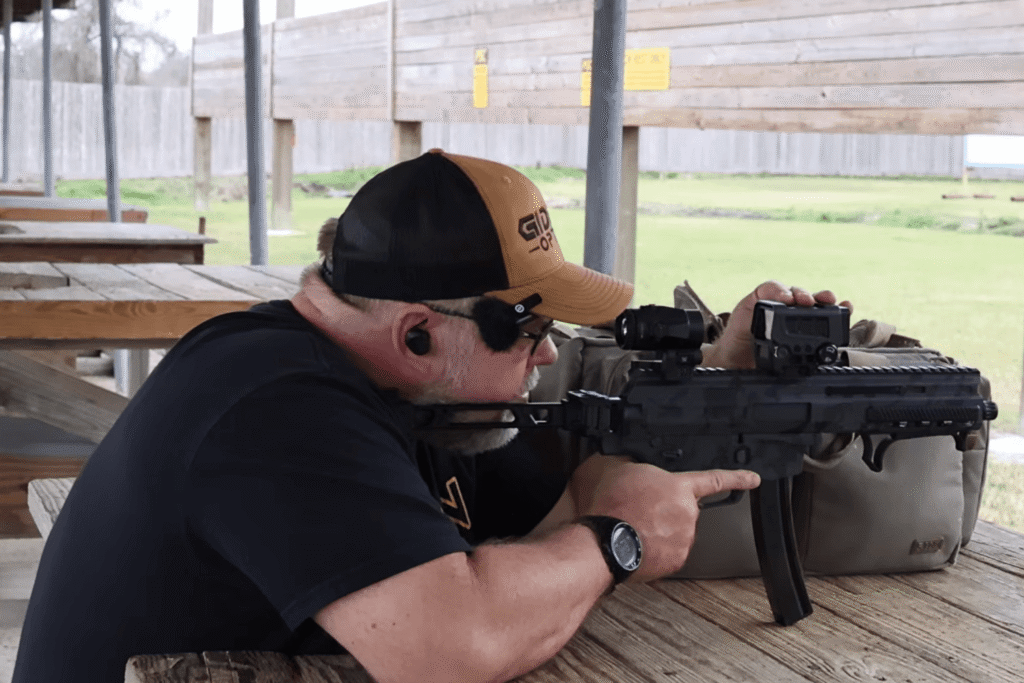
A good starting point for many rifle setups is 25 yards, especially if that’s what your range allows. From there, you can refine your zero depending on your intended use.
You are adjusting the point of impact, not the position of the reticle in the window.
If your shots are hitting high, you adjust the optic to bring the point of impact down. The reticle stays centered; you’re shifting where the rifle prints relative to it.
Zeroing isn’t about perfection on the first group. It’s a process of refinement.
Once you’ve established a zero, your setup doesn’t stop there. Different distances and shooting scenarios benefit from different configurations.
At closer ranges, a circle-dot reticle can help with rapid target acquisition. The larger outer ring naturally draws your eye and makes it easier to engage quickly.
At longer distances, that same ring can feel cluttered. Switching to a simple dot provides a cleaner aiming point and allows for more precise shots.
Brightness also plays a role. A reticle that’s too bright can appear bloomed or distorted, especially at distance. Lowering the brightness gives you a sharper, more defined aiming point.
These small adjustments help you get more versatility out of your optic without changing your setup entirely.
One of the biggest performance factors in a rifle optic is something that doesn’t always show up on a spec sheet: window size.
This becomes especially noticeable during rapid shooting.
When you’re running drills or engaging multiple targets, a larger viewing window allows your eyes to stay focused on the target instead of searching for the reticle.
That’s where optics like the Mediator XL stand out. The oversized window isn’t just a design choice, it directly impacts how quickly and confidently you can shoot.
Mounting and zeroing a rifle optic isn’t complicated, but it does require attention to detail.
If something feels off, it’s worth stepping back and checking the fundamentals:
Most of the time, performance issues aren’t caused by the optic itself. They’re the result of small setup decisions that add up.
Take the time to get those details right, and your optic will perform the way it was designed to.
And if you’re running a rifle or PCC and want a larger, more forgiving sight picture, optics like the Mediator XL are built specifically to support that kind of performance.