
A pocket pistol is built to disappear until it is needed. Adding a red dot does not have to change that, but it does mean thinking beyond the optic itself. Your holster, pocket, draw stroke, and maintenance routine all become part of the setup.
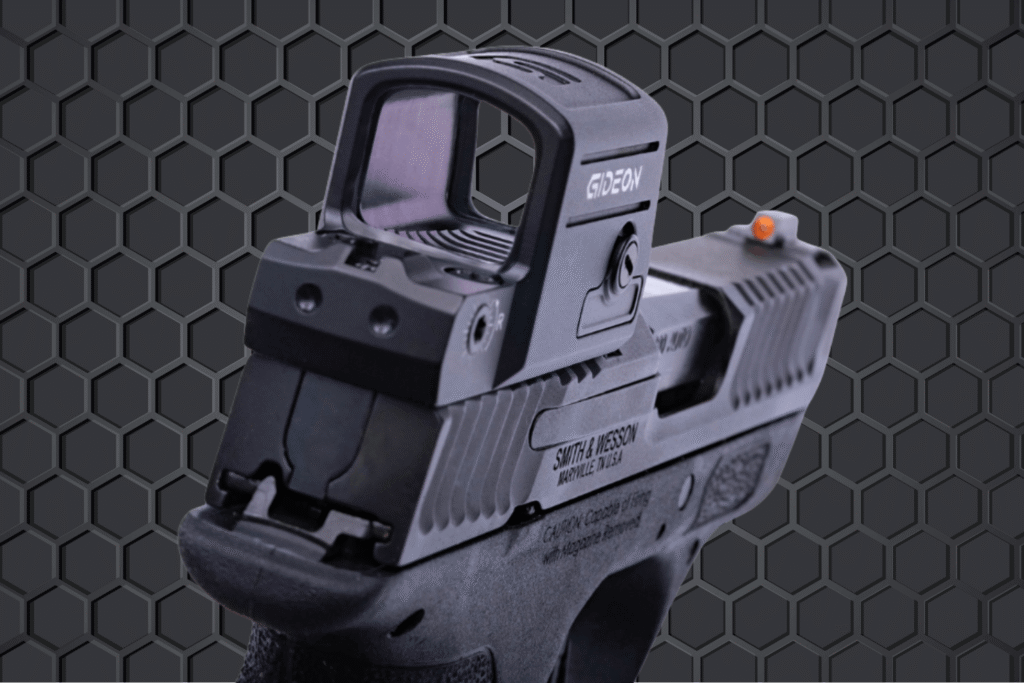
For M&P Bodyguard 2.0 owners, Gideon offers two purpose-built micro red dots: the open-emitter Pebble and the enclosed-emitter Pebble E. Both are made to mount directly at the rear dovetail without adding a plate stack, helping the Bodyguard retain the compact carry role that made it appealing in the first place. The difference is not whether one works for pocket carry; it is how you build and maintain the system around the way you actually carry.
On a full-size pistol, a red dot can feel like a minor addition. On a micro pistol, every bit of height and width matters more. An optic changes the profile at the top of the slide, which can affect how the gun sits in the pocket, how easily it clears the pocket opening, and how naturally it presents to your eyes.
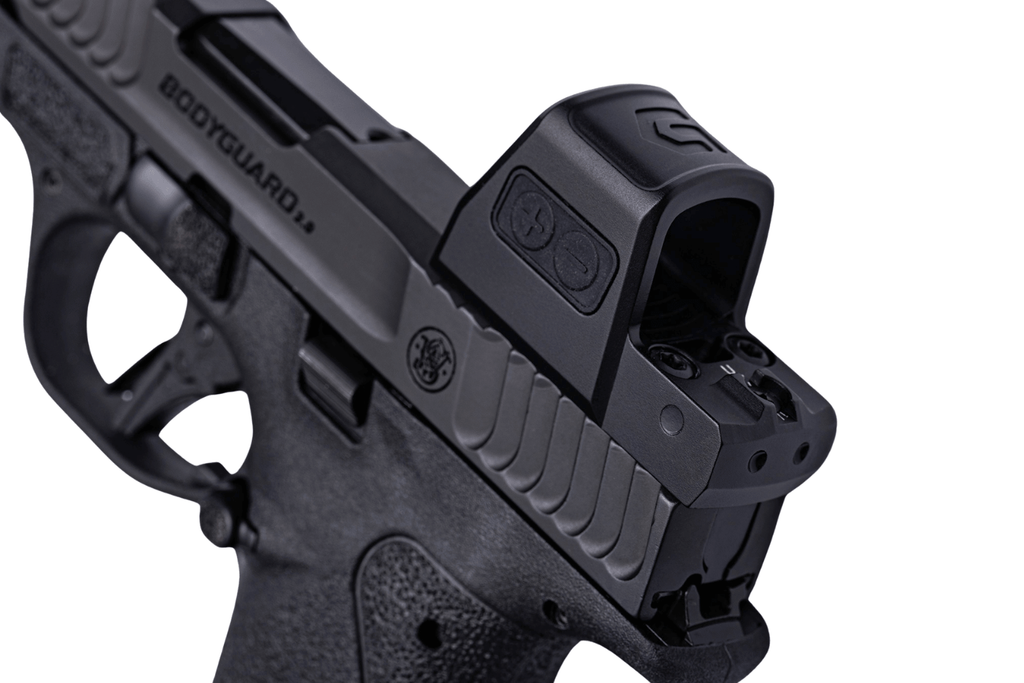
That does not make a dot impractical on a pocket gun. It simply makes fitment more important. A purpose-built micro optic that mounts directly to the pistol avoids adding the extra height and hardware of a plate system. On a Bodyguard 2.0, that can help preserve the slim, low-profile setup you chose for deep concealment.
Before you commit to a new carry setup, spend time with it in the clothes you actually wear. Jeans, work pants, shorts, and athletic clothing can all have different pocket depths, openings, and fabric stiffness. An optic that clears one pair of pants cleanly may catch or print more noticeably in another.
The goal is not to make a pocket pistol behave like a compact belt gun. The goal is to keep the pistol easy to carry while giving yourself a clearer aiming reference when it is needed.
A pocket holster should do more than break up the outline of the gun. It should fully cover the trigger guard, keep the pistol consistently oriented, and protect the firearm from loose debris. A quality pocket holster also needs to stay in the pocket when you draw, so the firearm clears cleanly and predictably.
That consistent position matters even more once an optic becomes part of the gun. Choose a holster made for your exact pistol-and-optic setup, not one that merely “sort of fits.” There should be enough clearance around the optic housing and window that the holster does not press buttons, rub the lens, or create a snag point at the pocket opening.
Keep the carry pocket dedicated to the gun and holster. Keys, coins, knives, loose ammunition, and other pocket items do not belong in the same space. They can interfere with access to the firearm, add debris, and create unnecessary safety issues.
A pocket holster can look right online and still behave differently once it is paired with your pants, your pocket shape, and an optic-equipped pistol. Before relying on a setup, test it safely with an unloaded firearm in an appropriate environment.
Walk, sit, bend, drive, and move through your normal routine. The pistol should remain stable, the holster should not shift or rotate, and the optic should not press uncomfortably against the pocket opening or catch on clothing.
Then test a slow, deliberate draw. Your hand should be able to establish a full firing grip before the pistol clears the pocket, and the holster should stay behind as the gun comes out. If the holster follows the firearm out of the pocket, twists during the draw, or catches on the optic housing, solve that problem before carrying the setup.
Concealment is worth testing, too. A red dot may slightly change the outline of a micro pistol, especially in lightweight pants or shallow pockets. That does not automatically mean the gun prints too much, but it is worth checking the setup from different angles and in the clothing you wear most often.
Pocket lint is part of the deal with deep concealment. Even with a quality holster, fibers, dust, body oils, and moisture can collect around the firearm over time. A dirty lens can make the sight picture less clear, but debris around the optic can create a bigger problem if it goes unnoticed.
Build a quick visual inspection into your carry routine. Before leaving the house, confirm the dot is visible, look through the window, and clear away anything obvious with a clean microfiber cloth. Avoid dragging grit across the lens; blow or gently brush loose debris away first, then use lens-safe cleaning materials as needed.
This is also where the difference between Pebble and Pebble E becomes relevant. The original Pebble remains a lightweight, open-emitter red dot for the Bodyguard 2.0. It is a straightforward option for shooters who prefer that familiar, minimal format. Pebble E uses an enclosed-emitter design that adds protection around the emitter from the lint, sweat, moisture, and debris that often come with pocket and close-body carry.
The takeaway is not that open-emitter optics cannot work in a pocket. They can. They simply benefit from a more deliberate inspection and cleaning routine. An enclosed emitter gives pocket carriers one more layer of protection against the environment their pistol sees every day.
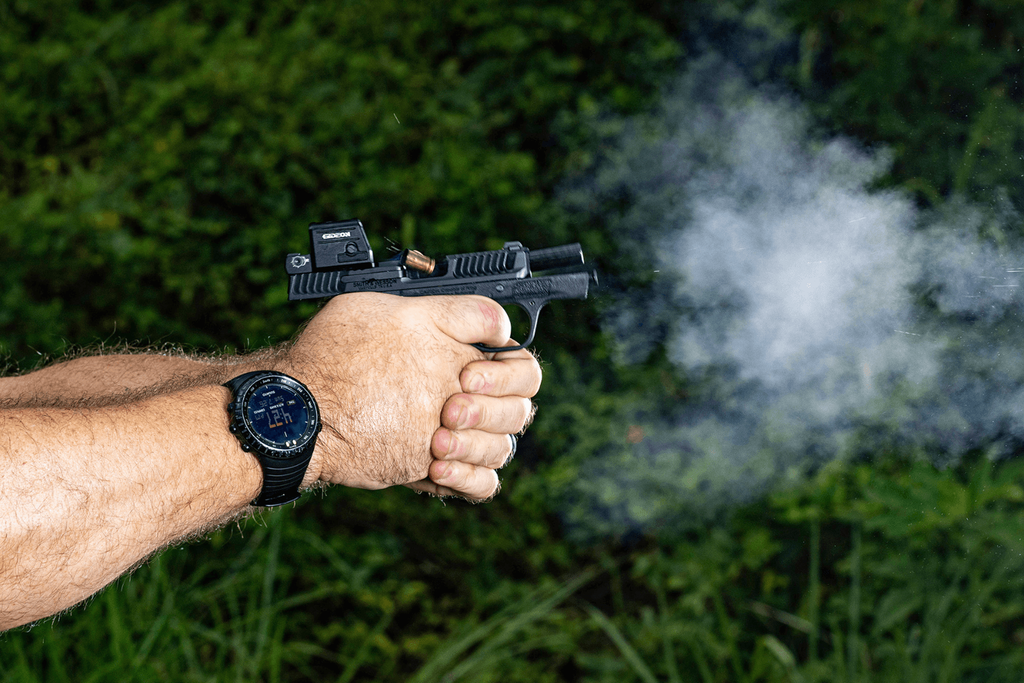
Adding an optic changes what your draw looks like, especially from a pocket. The goal is not to hunt for the dot after the gun is out. It is to establish a repeatable grip and presentation that brings the optic window naturally into your line of sight.
Practice safely with an unloaded firearm in a suitable environment. Use the same pocket, holster, and clothing you use during normal carry. Pay attention to whether you can get a full firing grip before the pistol leaves the pocket, whether the holster remains in place, and whether the optic catches on the pocket seam or cover garment.
Start slowly. A smooth, controlled draw is more useful than trying to set a speed record. Once the movement is consistent, add dry-fire presentations to a safe target and confirm that the dot appears without extra wrist movement or fishing. Then validate the setup at the range with deliberate live-fire practice.
A small adjustment to grip, wrist angle, or how you clear the pocket can make a noticeable difference. The more consistently the pistol reaches your eye line, the more useful the red dot becomes.
A carry optic only helps if it is functioning when you need it. Build a fast function check into the same routine as holstering the firearm: look through the window, confirm the dot is visible, and verify that the brightness setting makes sense for your current lighting.
Motion-activated illumination is useful for preserving battery life and keeping the optic ready when the pistol moves. It does not eliminate the value of a quick check before you head out. A few seconds can reveal a depleted battery, a setting too dim for daylight, or lint that needs to be cleared from the lens.
This habit also helps you notice if the optic has been bumped, if the mounting hardware appears loose, or if the window needs cleaning. A carry gun is not something to set up once and forget forever. It is equipment that benefits from small, routine checks.
The best pocket-carry setup is the one you will actually carry, inspect, and practice with. Do not let a red dot turn a practical micro pistol into something unnecessarily bulky or complicated.
Keep the lens clean, verify the dot is working, and follow the manufacturer’s battery and mounting guidance. Periodically inspect the mounting hardware with the proper tools and torque specifications. Inspect the pocket holster as well: it should still cover the trigger guard, hold the pistol securely, and remain in the pocket during a controlled draw.
The goal is a system that feels simple in daily life. The gun stays comfortable in your pocket, the draw stays repeatable, and the optic is ready when you need it.
A red dot does not have to take the “pocket” out of a pocket pistol. With a proper holster, a consistent draw, and basic maintenance, it can give your Bodyguard 2.0 a clearer aiming reference while preserving the deep-concealment role that made you choose the pistol in the first place.
Gideon’s Pebble and Pebble E are both designed specifically for the Smith & Wesson M&P Bodyguard 2.0 and mount directly through the rear dovetail; no slide milling or adapter plates required. Choose Pebble if you prefer a lightweight, streamlined open-emitter format. Choose Pebble E if you want the added protection of an enclosed emitter for the sweat, lint, dust, and weather that come with everyday pocket carry.
Shop the Gideon Pebble and Pebble E to find the Bodyguard 2.0 red dot that fits the way you carry.